


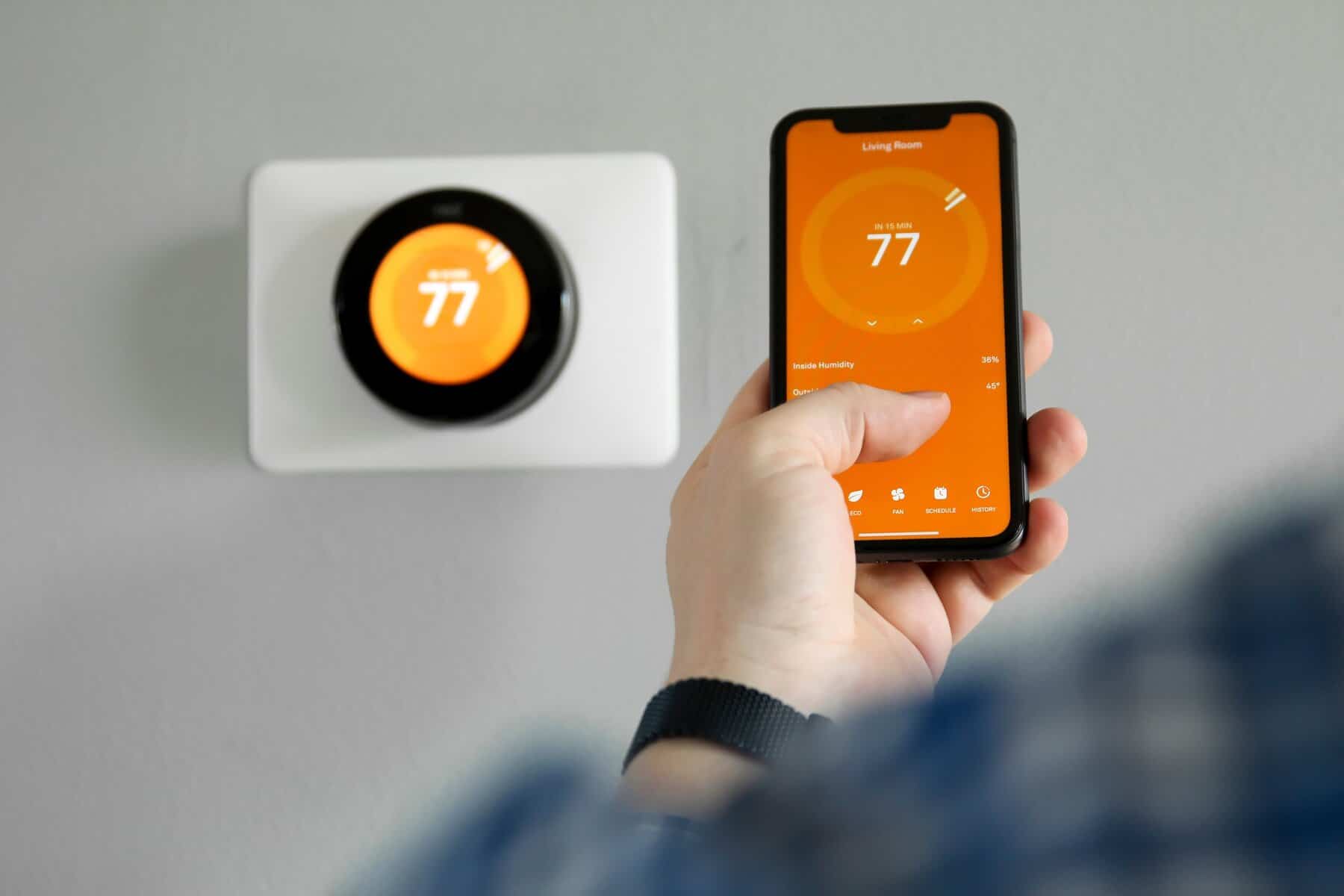
Many homeowners are hesitant to implement smart technology due to fear of a cluttered environment with screens and complex panels. However, true smart home integration isn’t about collecting gadgets, it’s about making daily tasks easier. Minimalist smart homes focus on subtle, high-impact technology that automates tasks, lowers utility bills, and blends into the interior. By prioritizing practical functionality over novelty, you can enjoy an efficient and comfortable home without visual clutter.
Whether you’re looking for a home in Columbus, Ohio, Miami, Florida, or Denver, Colorado, this Redfin guide will walk you through important, high-impact smart home upgrades that will improve your daily life without cluttering your mind or electrical outlets.
1. Start with intentional problem solving
The biggest mistake people make when it comes to home automation is buying gadgets just because they exist. True minimalism starts with practicality. Every device you introduce into your home should solve a friction point in your daily life, not add a new maintenance task to your to-do list.
To determine if your device is truly minimalist, ask yourself these three questions:
Will it save you time? If opening an app takes longer than toggling a manual switch, skip it. Does it remove anxiety? Focus on devices that give you peace of mind on the go. Are you self-sufficient? Choose hardware that works reliably without constant troubleshooting.
Ashley Williams, founder of Serenity Smart Homes, explains: “The simplest smart home upgrades are the ones you buy for real problems you have, not gadgets being sold. Before you add something, think about what you can stop doing. You don’t have to worry about your door being unlocked or if you left your curling iron on. If your devices aren’t doing the job for you, you’re not simplifying your home. They need to be charged or updated. And we start by solving one real problem, and then we solve it completely.”
2. Choose useful, non-invasive additions
A great smart home upgrade doesn’t require tearing down walls or cluttering up a tangle of power strips. Some of the most effective upgrades are modular, lightweight, and incredibly easy to install and remove. This makes it ideal for both homeowners looking for a clean aesthetic and renters looking to customize their space.
“From a management perspective, we love smart upgrades that provide large-scale daily utility without requiring invasive installation. Smart plugs and wireless lighting strips allow residents to customize their environment, set routines, and completely hide unsightly cords from view,” said Paul Burke, director of marketing and experience at Oakwood Management, Columbus, Ohio’s largest apartment management company.
Here’s how to streamline your space with these non-invasive upgrades.
Smart Plug: Instantly automate existing home appliances, such as vintage lamps or coffee makers, and bring them into the smart ecosystem without replacing them with complex and expensive alternatives. Wireless LED Strips: Place them under kitchen cabinets or behind media consoles to create scheduled ambient lighting that highlights your home’s architecture without bulky fixtures. Adhesive remote control: Place the flat wireless smart button on your bedside table or by your door to trigger custom lighting scenes with a single press.
3. Prioritize efficiency over complexity
While many people get carried away by the novelty of color-changing light bulbs and smart refrigerators, the best smart upgrades work behind the scenes to save you money and protect your property. Investing in smart climate control is one of the smartest decisions possible, delivering maximum ROI with minimal daily operations.
Rylan Collen, owner of Luxury Property Care, points out how this dynamic works for both property owners and residents:
“While many rental owners believe that adding technology is the wisest investment, we’ve found that the opposite is often true. Simple, easy-to-use smart thermostats reduce energy waste, help protect one of the home’s most expensive systems, and provide the best returns because tenants don’t have to learn complex new devices. The best smart thermostats Upgrades are something tenants rarely notice but owners appreciate every month.”
By scheduling temperature adjustments based on how much time you’re actually home, your smart thermostat quietly lowers your energy bills while maintaining your HVAC system.
The main benefits of smart air conditioning control are:
Automatic schedule: The system learns your daily habits and adjusts the temperature automatically. Geofencing: Your thermostat reduces energy usage when it detects your smartphone leaves your premises. System Health Alerts: Get instant notifications if your HVAC system is malfunctioning before significant damage occurs.
>>Read: How to save energy with smart home technology
4. Protect your front door with invisible access
Searching for your keys when your shopping bags are full is a daily annoyance that can be easily solved in a minimalist smart home. Sleek, low-profile smart locks replace traditional deadbolts or slide over existing internal hardware for completely hands-free entry into your home.
Consider the benefits of upgrading your front door security.
Hands-free unlocking: Use geofencing or a simple fingerprint scan to unlock your door as you approach. Clean Curb Appeal: Many minimalist smart locks are designed to look like a regular deadbolt from the street, keeping your entryway’s aesthetic classic and clean. Digital guest keys: Eliminate the need to hide physical spare keys under the doormat by giving dog walkers, guests, and service personnel temporary digital access codes.
5. Standardize on one smart ecosystem
A common pitfall with DIY smart homes is app fatigue. If you have to open five different apps on your phone to lock the doors, turn off the lights, adjust the temperature, check the camera, and play music, your smart home isn’t really smart, it’s just fragmented.
To keep your home truly minimalist, build your setup around these basic integration practices.
Commit to one platform: Standardize on a single, unified platform like Apple Home, Google Home, or Amazon Alexa. Check compatibility: When purchasing a new device, always check that it is natively compatible with the system of your choice before purchasing. Create multi-device routines: Easily manage your entire home by creating simple, one-word voice commands (like “Goodnight” that lock the doors, turn off the lights, and lower the thermostat all at once).
Adopting invisible home technology
Upgrading your smart home doesn’t require bulky gadgets or endless cords. By choosing non-invasive and practical devices such as smart thermostats, plugs, and seamless locks, you can easily simplify your daily tasks with quiet and discreet solutions.
FAQ: The minimalist’s smart home upgrade guide
1. Do I need a central smart home hub to get started?
Not necessarily. Many devices connect directly via Wi-Fi or Bluetooth. However, using a smart hub or platform (like Apple TV, Amazon Echo, or Google Nest) makes it much easier to manage complex automation and control everything from one app.
2. If I rent my home, can I install these smart upgrades?
yes. Prioritize non-invasive, portable upgrades like smart plugs, wireless LED strips, and smart light bulbs. For smart locks, choose a retrofit option that mounts on top of your existing indoor thumbturn while retaining your physical keys and honoring your lease agreement.
3. Do smart home devices slow down your Wi-Fi significantly?
A few smart devices won’t affect a standard router, but dozens of smart devices can crowd it. As you expand, consider upgrading to a mesh Wi-Fi system or using a low-bandwidth protocol like Zigbee, Z-Wave, or Thread to keep your main network clear.
4. How do smart plugs make old appliances “smart”?
Smart plugs control the power between an electrical outlet and an appliance that remains physically switched on. Control your appliance remotely and set automation schedules using an app or voice assistant.
5. What is the best way to protect my smart home from hackers?
Keep your home network secure by changing the default admin password on your router and all your smart devices. Consider enabling two-factor authentication (2FA) on all smart home accounts, updating device firmware regularly, and setting up a separate guest Wi-Fi network specifically for smart home gadgets.
6. Does smart home automation increase the value of your home?
Yes, smart home automation can increase the value of your home by 1% to 5% while facilitating the sale of your property. Buyers prioritize convenience, security, and energy efficiency, making smart thermostats, video doorbells, and integrated security systems the highest ROI upgrades.
