


How to switch LMS providers
To stay competitive and meet your evolving training needs, it’s important to know when and how to make the smart switch to a new LMS vendor. Learn how to choose a new training platform provider and successfully migrate.
E-book release
A detailed guide to putting LMS to practical use for your business
Whether you’re new to LMS or want to get more out of your current platform, this guide will help make your investment worthwhile.
Why change LMS vendor?
Here’s a list of common reasons to switch LMS providers.
Inadequate functionality. Your current LMS lacks the features your organization needs. Poor user experience. Users have difficulty navigating the system, leading to lower engagement and satisfaction. High cost. The costs associated with current LMSs are too high compared to their benefits. Lack of support. Poor customer service or technical support from your LMS provider. Scalability issues. Current LMSs cannot effectively scale to meet an organization’s growing needs. Integration issues. Difficulty integrating LMS with other important systems and tools used in your organization. Outdated platform. LMSs are based on outdated technology that doesn’t support modern learning methods and tools. Expert insights
There’s another reason that’s a little more troubling. It is a change in e-learning tasks and practices. For example, you may need mobile learning capabilities to support remote employees, or you may need more robust analytics to more effectively track learner progress. Before you decide to switch LMS providers, consider whether you really need a new LMS or if you just need to review and adjust your eLearning strategy to fit your current needs.
Additionally, some e-learning providers, such as iSpring, are willing to add custom LMS features based on customer requests. See if you can ask the vendor to add new functionality to meet your evolving requirements.
michael keller
Senior eLearning Officer
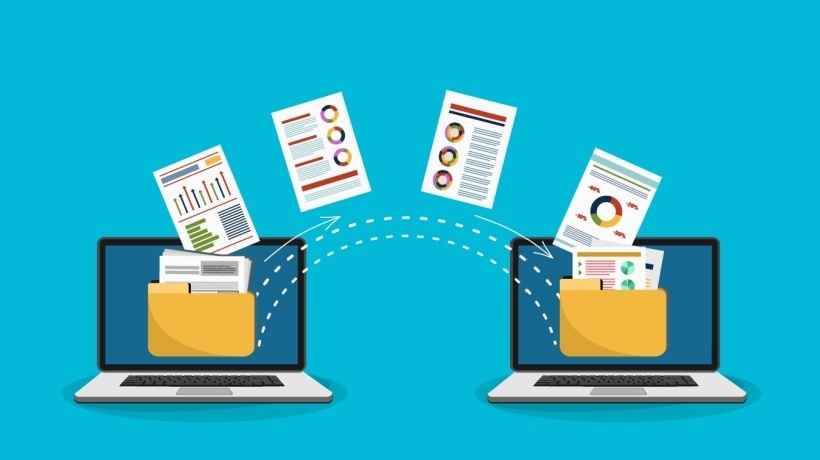
LMS migration: 5 key steps
If you decide to switch LMS providers, follow this simple switching protocol.
Step 1: Update your eLearning goals
Take time to update and adjust your eLearning goals to reflect changes in your business goals and training needs since implementing your current system. Assess what you’re trying to accomplish with your training program, whether it’s enhanced performance tracking, increased user engagement, or improved compliance monitoring.
For example, if your updated goal is to support remote learning, make sure your new LMS offers strong mobile access and offline capabilities. If you need to increase engagement, look for features like gamification and interactive content.
Pro tip: Survey your trainees and current LMS administrators. Discuss what they like and dislike about the LMS you are currently using. This helps identify specific areas for improvement and ensures that the new system addresses the needs and preferences of both users and administrators.
Step 2: Create an LMS data migration checklist
Imagine moving to a new address. There’s always a box of things to take with you to your new home, and there’s also a box of things to throw away. Apply the same principles to your LMS migration and decide what content and data to upload to your new system. We will list everything thoroughly, including:
Courses and learning materials. Decide which training modules, videos, documents, and other educational content you need to transfer. User data. Collect information about all active and inactive users, including their profiles, roles, and access levels. Completion record. Be sure to include records of completed courses, certifications, and learner progress. Evaluation data. Collect quiz, test, and assessment results to maintain a history of learner performance. Reports and analysis. Transfer critical reporting and analysis data to continue tracking progress and results without interruption. System setup and configuration. Document your current system settings, customizations, and configurations to replicate or improve on your new LMS. Step 3: Establish a budget for your new LMS
A specific budget will help you narrow down the list of LMS vendors to consider. Start by assessing your current spending on your existing LMS, including subscription fees, maintenance costs, and additional costs for training and support. Consider potential savings through increased efficiency and reduced administrative tasks. Consider both initial costs and long-term costs (upgrades, scalability options, custom feature requests, etc.). Align your budget with your modern eLearning goals and ensure you invest in an LMS that meets your needs without exceeding your financial parameters.
Step 4: Set your migration timeline
Outline the main stages of an LMS migration and set deadlines for each stage. Typically, you will need to perform the following steps:
Vendor selection. Evaluate and select a new LMS provider based on your needs and budget. Back up your data. Copy all current LMS data to prevent loss during migration. Data mapping. Map existing data fields to your new LMS to ensure compatibility and consistency. Content migration. Transfer your courses, user data, and other content to the new system. Testing and approval. Test your new LMS using migrated data to identify and fix any issues. Onboarding. Train administrators and users on new LMS features. Go live. We are officially switching to a new LMS and providing support for any immediate issues. Post-migration QA. Evaluate your migration process and make any necessary adjustments. Expert insights
If your organization has special security protocols or industry-specific data protection standards, consider moving to an LMS that offers on-premises system deployment. Doing so will ensure that your training data is stored and managed within your own secure infrastructure in compliance with all required regulations.
iSpring Learn has already deployed over 80 hosted LMS versions to companies in various sectors and continues to provide 24/7 assistance with LMS maintenance and updates to all of its clients. Explore iSpring Learn and see if on-premises hosting is the preferred option for your organization.
michael keller
Senior eLearning Officer
Step 5: Choose a new LMS
Next, select a new vendor. Choose a candidate to schedule a demo or start an LMS trial period to see how the software performs and meets all your needs.
Pro tip: Consider creating a request for proposal (RFP) and sending it to potential vendors. The RFP should outline your specific functional requirements, goals, and budget, allowing the vendor to provide a detailed proposal on how their solution will benefit your business. Read our in-depth article on writing a concise and specific RFP that will save you tons of time when choosing a new LMS.
Once you’ve selected your new eLearning platform, go back to your project timeline and work on data migration, system testing, and user onboarding. Be sure to communicate clearly with all stakeholders throughout the process and provide ongoing support to address any issues that may arise with the new system. Start a pilot project to see if your LMS works smoothly and gather initial user feedback for quick adjustments.
last word
Adopting an LMS as a tool to improve your training efforts is more than just a technical upgrade, it’s an opportunity to transform your organization’s overall approach to learning and development. Beyond the basics of migration, setup, and performance tracking, consider fostering a culture of continuous improvement and innovation in your training program.
Encourage feedback from learners at all levels and be open to trying new features and methods. Stay tuned to industry trends and proactively adapt your LMS to meet the evolving needs of your employees. The ultimate goal is to create an engaging, effective, and dynamic learning environment that fosters innovation and productive participation. Enjoy the process and watch your business grow with the skills and abilities of your employees.
Want to learn more about how to get the most out of your LMS?
Download “A Detailed Guide to Practical LMS for Business” today and navigate the entire process of implementing and using an effective learning management system.
iSpring Learn
iSpring Learn is a fast LMS for mission-critical projects. Start e-learning in a day with minimal effort. Simply upload training materials, invite employees, and track results.
