


Breaking down barriers to digital education with accessible e-learning
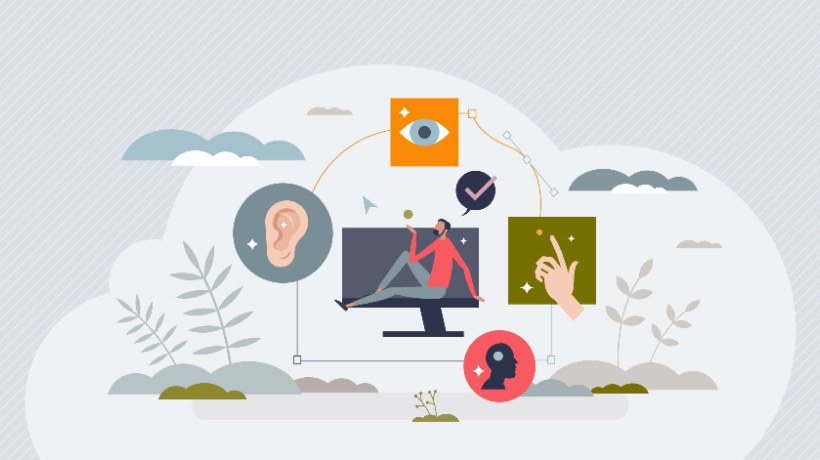
Digital learning has transformed the way people learn, train, and build skills. However, not all online courses are designed for everyone. Many learners face barriers due to disabilities, language differences, or technological limitations. Accessible e-learning is therefore essential, making digital education platforms, courses, and learning materials available to all learners, including those with visual, hearing, cognitive, and mobility disabilities. This guide explains what accessible e-learning means, why it’s important, and how organizations can create inclusive learning experiences.
What is accessible e-learning?
Accessible e-learning refers to digital educational environments designed to allow all users to access, understand, and interact with learning content. This includes features such as:
Screen reader compatibility Closed captions for videos Keyboard navigation Adjustable text size High-contrast visual design Alt text for images
According to the World Wide Web Consortium (W3C), accessibility makes web content available to people with a variety of abilities, including visual, hearing, physical, language, cognitive, and neurological disabilities. Accessible learning doesn’t just mean compliance. Improved learning outcomes for everyone.
Why accessible e-learning matters
Accessibility is both a moral responsibility and a practical benefit for educational institutions and businesses.
1. Expanding learning opportunities
Millions of people around the world live with a disability. Accessible digital learning removes barriers and enables full participation. The World Health Organization estimates that more than 1 billion people worldwide experience some form of disability. Without accessibility, many learners are excluded from education and professional development.
2. Improving the learning experience for everyone
Features like captions, transcripts, and structured layouts benefit everyone, not just learners with disabilities. for example:
Captions help learners in noisy environments. Transcripts help you review lessons quickly. Adjustable font reduces eye strain.
As Microsoft explains in its accessibility guidelines, “When you design for people with disabilities, you’re actually designing a better experience for everyone.”
3. Supports legal and compliance requirements
Many countries require digital content to meet accessibility standards, such as:
WCAG (Web Content Accessibility Guidelines) US ADA compliance UK Equality Act requirements
Organizations that ignore accessibility risk facing legal repercussions and reputational damage.
Key principles of accessible e-learning
Accessible e-learning design is typically based on the WCAG principles developed by the World Wide Web Consortium. The content must be:
1. perceivable
Learners must be able to perceive information regardless of their sensory limitations. Examples include:
Captions for video content Alternative text for images Audio descriptions
2. Operable
Users should be able to easily navigate the content. This includes:
Keyboard navigation Accessible buttons and menus Clear navigation structure
3. Understandable
Learning materials must be easy to understand. Best practices include:
Simple language Logical content structure Consistent layout
4. Robust
Content needs to work across multiple devices and assistive technologies. Examples include compatibility with:
Screen reader Voice recognition software Mobile device
Best practices for creating accessible eLearning
Organizations can significantly improve accessibility by following a few practical steps.
use clear and simple language
Avoid overly complex sentences. Clear communication helps learners with cognitive disabilities.
Provide video captions and transcripts
Captions are helpful not only for hearing-impaired learners, but also for learners who are learning in quiet environments.
Designed for screen readers
Add alt text to your images and make sure your headings are properly structured.
Choose an accessible color
Maintain high contrast between text and background for readability.
enable flexible learning
It offers downloadable materials, adjustable playback speed, and multiple content formats.
According to UNESCO, “Inclusive digital education ensures that all learners, regardless of their ability, can fully participate in the learning process.”
The future of accessible digital education
Technology has made accessible learning easier than ever. AI tools, speech recognition, and adaptive learning platforms can help personalize education for diverse learners. Many modern LMS platforms now include:
Auto Captions AI Generated Transcripts Voice Navigation Accessibility Compliance Tools
As online education continues to grow, accessibility will become a core requirement rather than an optional feature.
final thoughts
Accessible e-learning is about creating equal opportunities in digital education. Everyone benefits when courses are designed with inclusivity in mind. Organizations that prioritize accessibility not only reach more learners, but also build better and more effective learning experiences.
In the future of digital education, inclusion will define success, and accessible e-learning is the foundation that makes it possible.
