


The future of authoring tools
Not so long ago, creating digital learning content took hours. People were spending time designing slides using complex software, adding animations, and creating several versions to make small changes. These authoring tools were often difficult to use, required advanced skills, and didn’t encourage much creativity or teamwork. Things are different today. New trends in authoring tools are emerging all the time, including cloud-based platforms, easy drag-and-drop tools, AI assistants, and tools that allow teams to collaborate in real-time from anywhere.
Why is this important? Because learner expectations change rapidly. People’s attention spans are shorter, remote work is more common, and employees want learning to be as engaging as the apps they use every day. At the same time, as technology continues to change, organizations need to train employees faster, show results, and stay competitive. Therefore, it’s important for L&D professionals, instructional designers, and content creators to keep up with these trends in authoring tools. Tools and methods that worked a few years ago may not be sufficient today. If you ignore new technologies like AI, augmented reality (XR), and more, you risk creating content that feels outdated and ignored by learners.
Sponsored Content – Article continues below
Trending eLearning authoring tools
The good news is that each new trend brings opportunities. Below, we’ll take a look at the future of authoring tools and how trends such as XR, AI automation, blockchain, and collaborative design are changing. Whether you’re creating your first course or updating your learning strategy, understanding what’s coming will help you make better choices, save time, and create learning experiences that people enjoy.
5+1 Trends in Authoring Tools You Can’t Miss
1. Augmented Reality
Augmented reality changes the way we learn by making learning an experience rather than just reading or watching. XR includes augmented reality (AR), virtual reality (VR), and mixed reality (MR). First, let’s explain in a little more detail what each means. AR adds digital elements to the real world. For example, apps that help you see how furniture will look in a room use this technology. VR, on the other hand, completely immerses you in the digital world. Simply put on your headset and you’ll be in a virtual lab, factory, or historical site. Finally, MR combines both AR and VR to create digital objects that interact with the real world in real time.
One of XR’s biggest strengths is its ability to simulate real-world scenarios, such as pilots training in a VR flight simulator before flying a real plane. These experiences feel authentic and make learning more effective and memorable. In this way, learners can make and learn from mistakes without getting hurt or embarrassed, and they can actively participate in the learning process, improving their memory and comprehension.
2. Blockchain for security
Tracking learning outcomes, certificates, and qualifications can be confusing. Certificates are often lost, employers struggle to verify them, and learners may have skills that are not officially recognized. This is where blockchain can help. Blockchain is a secure digital record-keeping system where all entries are verified, permanent, and immutable. So, can it help you study or get a qualification? Yes, because blockchain can securely store learning records. Once someone’s certificate is on the blockchain, it cannot be changed, forged, or deleted. It remains there permanently and anyone authorized can immediately check its validity.
The benefits for both organizations and learners are undeniable. Blockchain allows employers to easily verify the authenticity of certificates, building trust and saving time. That way, if your learners lose their data, change jobs, or move to a new country, you don’t have to worry. Their credentials are on the blockchain and can be accessed from anywhere at any time. Needless to say, learners own their credentials. There is no need to wait for a certificate to be issued by the school or platform. It’s like a permanent digital portfolio that you can save and share however you like.
3. Authoring using AI
Previously, creating a course required a lot of writing, design, and manual effort. AI-powered authoring tools have made this process faster and easier. AI-powered authoring means you have a digital collaborator. These tools use AI to help you plan, write, design, and translate your content. Instead of starting from scratch, AI suggests learning objectives, drafts paragraphs, and turns outlines into complete course modules. It’s like having an endlessly patient brainstorming partner.
AI also brings automation, allowing repetitive tasks like converting text to narration or translating a course to another language all in one place. Another important benefit is personalization. AI can customize the learning experience for each person. For example, if a learner is struggling with a topic, AI can redirect the learning path and provide additional help or short lessons. Conversely, if someone is progressing rapidly, the system may offer a high degree of challenge. Overall, AI saves time, reduces costs, and increases engagement because organizations can create more content faster without compromising quality, and learners have a more personal, interactive, and informative experience.
4. Integration with LXP
Learning Experience Platform (LXP) is a modern learning platform that prioritizes the learner experience. Instead of offering standard courses like an LMS, LXP curates content from a variety of sources, including videos, podcasts, blogs, and courses, and delivers it in a customized feed. So what happens when your authoring tools connect directly to LXP? This means course authors can design, update, and track their materials directly on these platforms without any additional steps. LXP integration recommends courses based on a learner’s role, interests, skills, or past behavior.
This allows you to modify slides, videos, or quizzes in the authoring tool and instantly syncs them across LXP, speeding up content updates. This integration also provides powerful data and insights. LXP collects valuable data such as what people watch, skip, search for, and share. This data helps authors understand which lessons are of interest to learners and which lessons need updates.
5. Cloud-based authoring
In the past, creating eLearning content was a solo effort, with designers managing files on their computers and waiting for feedback. Cloud-based tools now allow teams to collaborate. This trend in authoring tools allows team members to collaborate from anywhere, enabling real-time collaboration and reducing delays and confusion regarding different file versions. It also makes it easier for creators to manage their workflow. You can keep everything organized by assigning tasks, setting deadlines, and leaving comments directly on content. Finally, everyone can now see content faster.
Cloud-based tools save time, reduce stress, and improve your content creation experience. These deliver speed, flexibility, accessibility, improved teamwork, and cost savings so you can focus on creating great learning experiences.
6. Voice-based authoring
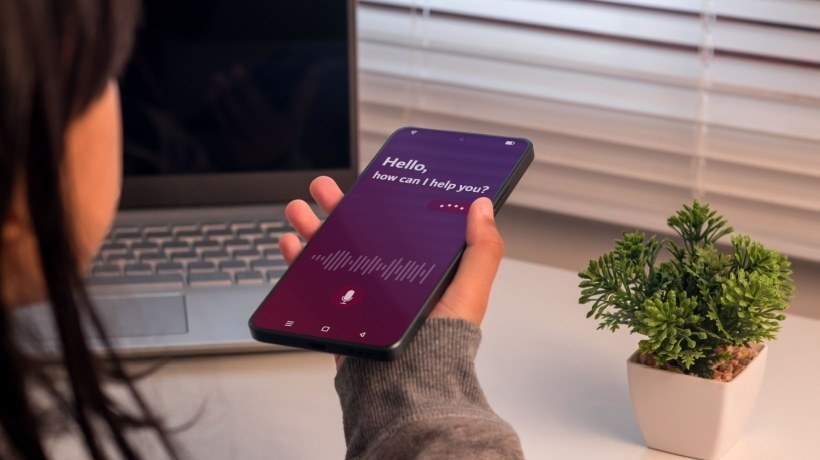
Voice-enabled authoring helps content creators design learning experiences using voice commands or voice platforms. This means instructional designers can create interactive lessons like Alexa skills and Google Actions without requiring advanced programming skills. Many modern tools allow authors to dictate content, verbally generate quiz questions, and add audio instructions directly to courses. This is especially useful for audio-based learning. With voice-based learning, you can use voice assistants like Alexa, Google Assistant, and Siri to access lessons, practice skills, and take quizzes. Instead of clicking through slides or videos, just listen and respond with audio.
This trend is becoming more and more popular because it is convenient, comprehensive and effective. It gives learners the opportunity to multitask and learn, making it perfect for busy professionals. Most importantly, we support people with visual impairments, dyslexia or motor disabilities and provide access to education. Voice learning and authoring is already used in language learning apps, employee compliance and safety reminders, medical training, and more.
conclusion
Authoring tools are becoming more engaging, smarter, faster, and more personalized, helping you create learning experiences that feel tailored and real to each learner. To keep up, designers need to follow new trends and practice continuous learning themselves. The best approach is to start experimenting. Try new platforms, test ideas, and explore possibilities. Because those who adapt now will be better prepared for the future of L&D.
